A free singing app with no sign-up
No sign-up required. No install. Open Vocalify in your browser, allow the microphone, and you're practising with live pitch feedback in seconds — on desktop or phone. Your pitch is analysed on your device, and an account is optional.
Why "no sign-up" actually matters
- Start in seconds. No email, no password, no verification — the fastest path from "I want to practise" to actually singing.
- Nothing to install. It's a web app: no app-store download, no updates, works across devices.
- Real privacy. Pitch is detected in your browser and never uploaded. Without an account there's nothing linking practice to you, and your data lives in your browser. Sign in only if you want it synced across devices.
- No commitment. Try it, close the tab, come back later — nothing to cancel.
What you get for free
- Live pitch feedback on a piano roll, scored every run.
- Exercises for intonation, range and ear training.
- Free tools: a vocal range test, a tone-deaf test, and an online tuner.
- Your own melodies — build a phrase and practise it over a backing track.
You can use the free standalone exercises without an account. Sign in to save your own melodies, routines and presets, sync progress and optional recordings across devices, or split audio.
How to start
- Open the app in any modern browser.
- Allow microphone access when asked.
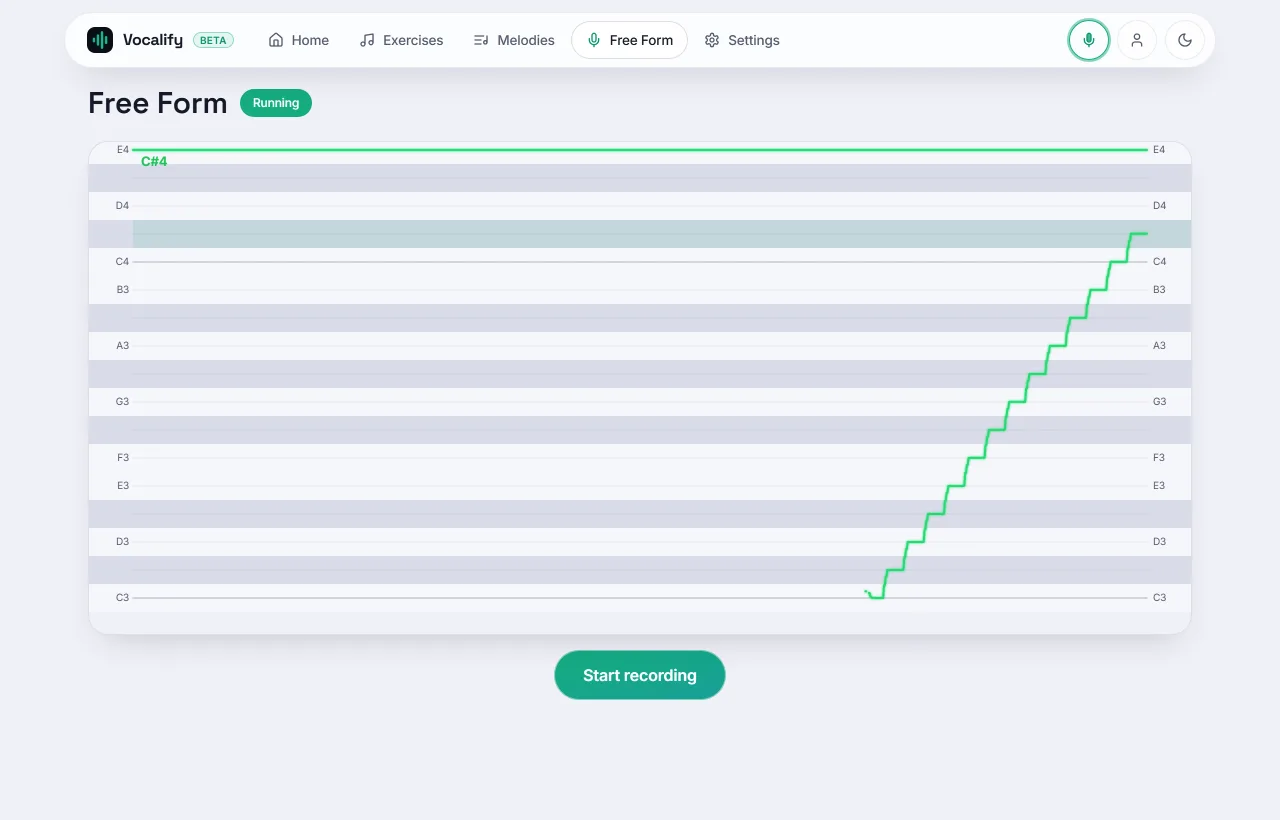
- Sing — your pitch draws live, and every run is scored. That's it.
"No sign-up", "no subscription", "no download" — three different promises
App listings blur these together, and the difference is exactly where the friction hides. It's worth knowing which one you're actually being offered:
- No download means it runs in a browser. Nothing in your app store, nothing taking up storage, and the same URL works on your laptop and your phone.
- No sign-up means you can use it before handing over an email. Plenty of "free" singing apps are free after a registration wall — which is where the onboarding survey and the "choose your plan" screen live.
- No subscription means the thing you came for isn't metered. This is the one to check hardest: a lot of apps let you in free, then gate the actual feedback — the part that makes practice work — behind a weekly plan after three exercises.
Vocalify is all three at the point of entry: open the page, allow the microphone, practise. The tuner, range test and pitch test don't even need the app — they run on the guide pages themselves.
What "free" covers here, exactly
Vague free plans are how you get surprised later, so here is the boundary in plain terms.
Free, with no card and no expiry: every standalone exercise — scales, sirens, range drills, interval and pitch-discrimination training — with live cents-accurate scoring, the melody editor, backing tracks, your recordings, your practice history and analytics, and syncing across devices once you have an account.
What Vocalify Pro adds: course lessons from lesson six, audio splits without the daily limit, a saved melody library beyond five, and 5 GB of storage instead of 250 MB. The first five course lessons are free. A free account also includes one audio split per day and up to five saved melodies. The standalone exercises do not require a subscription.
You'll notice what's not gated: pitch feedback, scoring, and progress tracking. Those are the parts that make practice work, so metering them would make the free tier pointless.
Your first ten minutes, without an account
"Just practise" is bad advice when you don't know where to start. This sequence gets you a measurement and a first win in about ten minutes, and none of it needs a login:
- Two minutes of sirens. A gentle slide up and down on "ng" or a lip trill. It warms the voice and it's the single best warm-up for pitch accuracy.
- Run the range test. About a minute, and everything afterwards fits your voice instead of fighting it.
- Sing one sustained note into the tuner. Watch the line. Most people discover their note starts flat and creeps up — a scoop you can hear about but not fix until you see it.
- Do one scored drill in the app and note the score. That number is your baseline; it's the only way to know later whether anything changed.
Do free singing apps actually work?
For intonation, yes — and the reason is mechanical rather than motivational. Singing in tune is a motor skill that depends on a feedback loop: you produce a pitch, compare it to a target, and correct. Unaided, that loop is slow and unreliable, because your voice sounds different inside your own head and "a bit flat" is hard to judge in the moment. A live pitch display closes the loop in milliseconds and makes the error specific: not "off" but 30 cents flat on the onset, recovering by the middle of the note.
What an app can't replace is a teacher's ear for technique — breath, registration, tension, repertoire. It measures pitch, not vocal health. The honest split is that free tools are very good at the measurable half of singing, and a coach is still the answer for the rest. See how to sing in tune for the method behind the drills, or best free singing apps if you're still comparing options.
When an account starts to earn its keep
Guest mode keeps everything in your browser's storage. That's genuinely private, and it's also the catch: clear your browser data and your history goes with it, and your phone knows nothing about what you practised on your laptop. A free account (email code, password or Google) lets you:
- Sync — your history, settings and progress follow you between devices.
- Saving your own work — melodies, routines and exercise presets you build yourself.
- Durability — a cleared cache or a new phone stops being an event.
It's still free, still cardless, and you can put it off as long as you like. Nothing you do as a guest is lost when you eventually sign in.
Sing now — no account needed
Open it, allow the mic, and go. Free, private, in your browser.
Open Vocalify