The best free app to learn singing on Android
On Android you can practise singing with scored pitch feedback without paying and without an account — in Chrome, or from the Play Store. What most roundups skip is the phone itself: Android's voice processing quietly rewrites what your microphone hears, which is enough to make a pitch score meaningless. Both are covered below.
The short answer
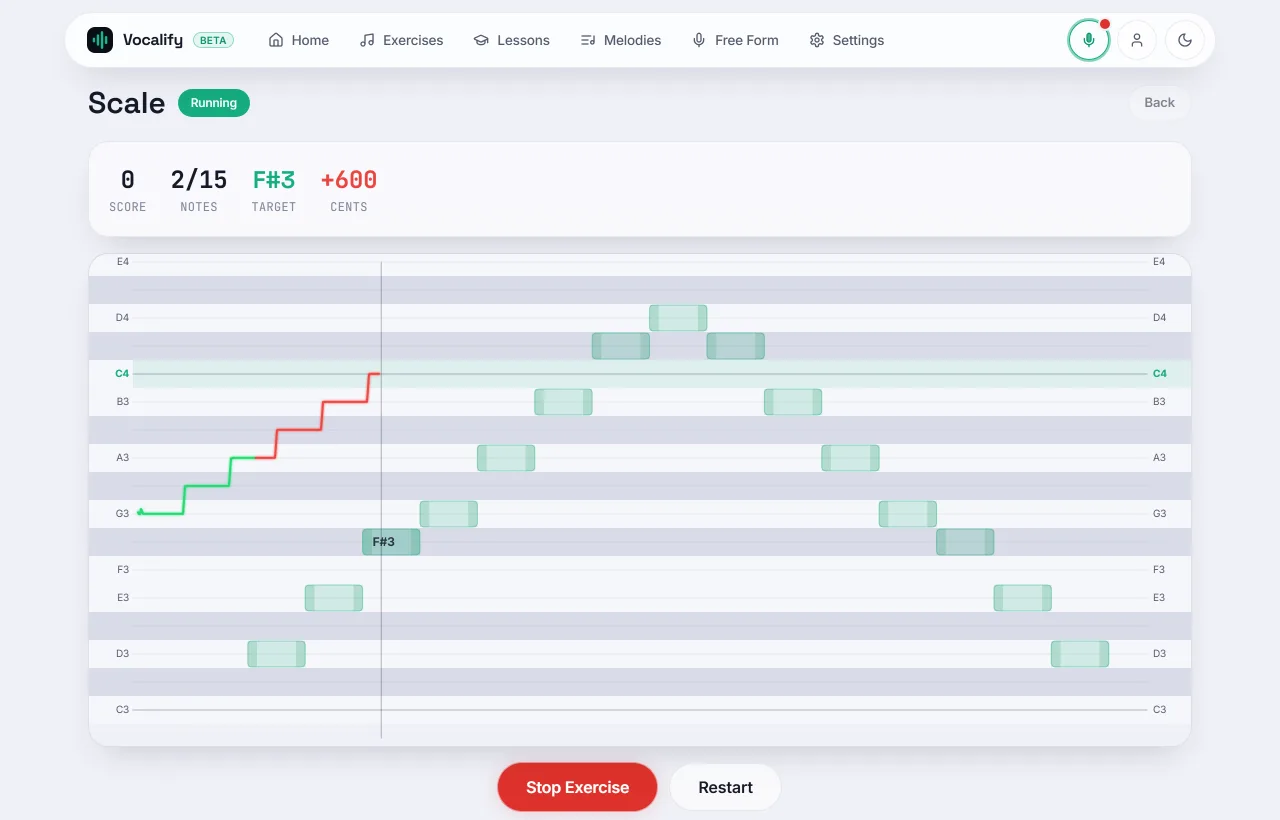
We make Vocalify, so weigh this accordingly. If you want scored pitch practice on Android without paying, open Vocalify in Chrome — nothing to install, no account — or install it from Google Play. From the rest of the Play Store, Sing Sharp has the most complete freemium exercise course, and Vocal Pitch Monitor is the one to install if all you want is a live pitch trace with no lessons attached.
Most other singing apps are the same on Android and iPhone, so the choice does not really turn on your phone. The full comparison covers those.
What is on Google Play
Each listing below was checked on Google Play on 11 November 2026.
- Vocalify — ours: live pitch drawn on a piano roll, drills scored in cents, a range test, a tuner and ear training. The same trainer as the browser version, opened from the home screen. Google Play (updated 7 Nov 2026).
- Sing Sharp — exercises plus a range test, freemium, account required. The most complete structured course of exercises on the Play Store that does not hit a paywall on day one. Also on the iPhone. Last updated 9 Sep 2026.
- Vocal Pitch Monitor — a live pitch trace and nothing else. Free, no lessons, no in-app purchases listed. If your question is "am I flat right now", this answers it and stops. It is not a trainer: there is no target and no score, so nothing tells you whether this week is better than last. Last updated 28 Sep 2026.
Erol Singer's Studio, which comes up often in these searches, is iOS and macOS only — there is no Google Play listing to look for. See Erol Singer's Studio on Android.
The Android setting that fakes your score
This is the part a roundup will not tell you, and it matters more than which app you pick. Android phones apply echo cancellation, noise suppression and automatic gain control to microphone input by default. Those three exist to make voice calls intelligible, and each one distorts the signal a pitch detector depends on:
- Echo cancellation subtracts what the speaker is playing from what the mic hears. With a reference tone playing out loud, it can also subtract part of you.
- Noise suppression gates quiet input, which eats the start and end of a sustained note — exactly where beginners drift off pitch.
- Automatic gain control rides the level, so a note you sang too quietly arrives looking confident. It does not change pitch, but it hides the dynamic problem.
The other half of the trap is the reverse: if you practise on speakers, the microphone hears the app's own reference tone and can score that instead of your voice, which produces suspiciously perfect results. Use headphones. Wired if you have them — Bluetooth adds output delay that has to be measured and compensated before the feedback lines up with what you sang.
Vocalify leaves echo cancellation on by default only on Android Chromium, where switching it off tends to cause more trouble than it solves, and exposes all three switches so you can test your own device. If an app gives you no way to see or change this, treat its scores as indicative rather than measured.
Chrome, Firefox and the browser route
A browser tool skips the install and the account, and on Android the mic works the same way it does for an installed app. Two device-specific things to know:
- Chrome on Android supports live pitch detection fully. This is the path to take.
- Firefox on Android cannot run the live analysis path, so tools that depend on it fall back to recording first and analysing after. You still get the pitch graph; you do not get it while you sing.
Chrome will also let you add the page to your home screen, at which point it opens full-screen with no address bar. If you would rather have a real app, install it from Google Play instead.
How to pick in two minutes
Decide which of these sentences is yours, because they lead to different apps:
- "I want to know if I'm singing the right note right now" → a live monitor. Free everywhere, including the browser tuner.
- "I want to know if I'm getting better" → you need targets and a score in cents, kept over time. This is the feature most often behind a subscription.
- "I want to be told what to practise" → a structured course. Yousician and Sing Sharp both do this; so does the training plan here, whose first five lessons are free.
Start by measuring where you are: the range test and the pitch discrimination test both run in the browser on your phone and take about a minute each.
FAQ
What is the best free app to learn singing on Android?
For scored practice with no account, Vocalify — ours — in Chrome or from Google Play. Among other Play Store apps, Sing Sharp has the most complete freemium exercise course. Yousician is the most polished course, but its free tier is limited and it wants an account.
Are there singing apps for Android with no subscription?
Yes. Vocal Pitch Monitor is free outright, and the pitch feedback in browser tools is not metered. Singing apps without a subscription goes through which free tiers stay useful past the first week.
Do I need to install anything to practise singing on Android?
No. Chrome on Android gives a web page microphone access after one permission prompt, and the pitch analysis runs on the phone. See a free singing app with no sign-up. If you prefer an installed app, Vocalify is also on Google Play.
Why does my singing app say I am in tune when I am not?
Usually one of two things: the microphone is hearing the app's own reference tone through the speakers and scoring that, or Android's noise suppression and gain control are smoothing the signal. Headphones fix the first. For the second, look for an app that lets you see and change those switches.
Try it on your phone now
Open it in Chrome, allow the microphone, and sing one note — or install it from Google Play. No account, no card.
Open Vocalify Get it on Google Play